Enter Reason to Change Cancellation Policy and Cancellation Fee of Reservations
Stay allows users to change the cancellation policy associated with a reservation or the cancellation fee applied when canceling a reservation.
When the Require Reason for Override checkbox is enabled at the property (Settings ➜ All Settings ➜ Policies and Code ➜ Cancellation Policies), users can enter a reason when changing the cancellation policy or the cancellation fee applied to the reservations from the following screens:
-
Cancel Reservation
-
Reservation
Cancel Reservation Screen
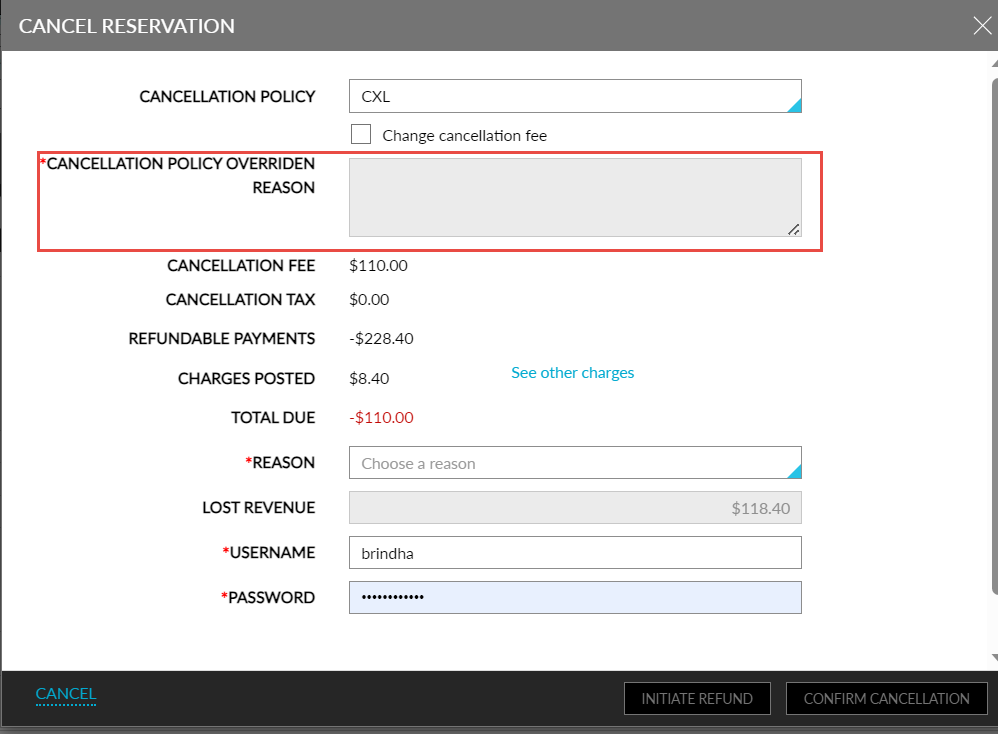
When users click the Cancel Reservation button, the Cancel Reservation screen appears. When the user changes the cancellation policy, the Cancellation Policy Override Reason field gets enabled. This is a mandatory field that allows users to enter the reason for the change in policy.
Users can change the cancellation fee by enabling the Change Cancellation Fee checkbox. When the user modifies the cancellation fee by choosing either the Flat Fee or the Percentage options, the Cancellation Policy Override Reason field gets enabled, and users can enter the reason for the change in the cancellation fee.
Reservation Screen
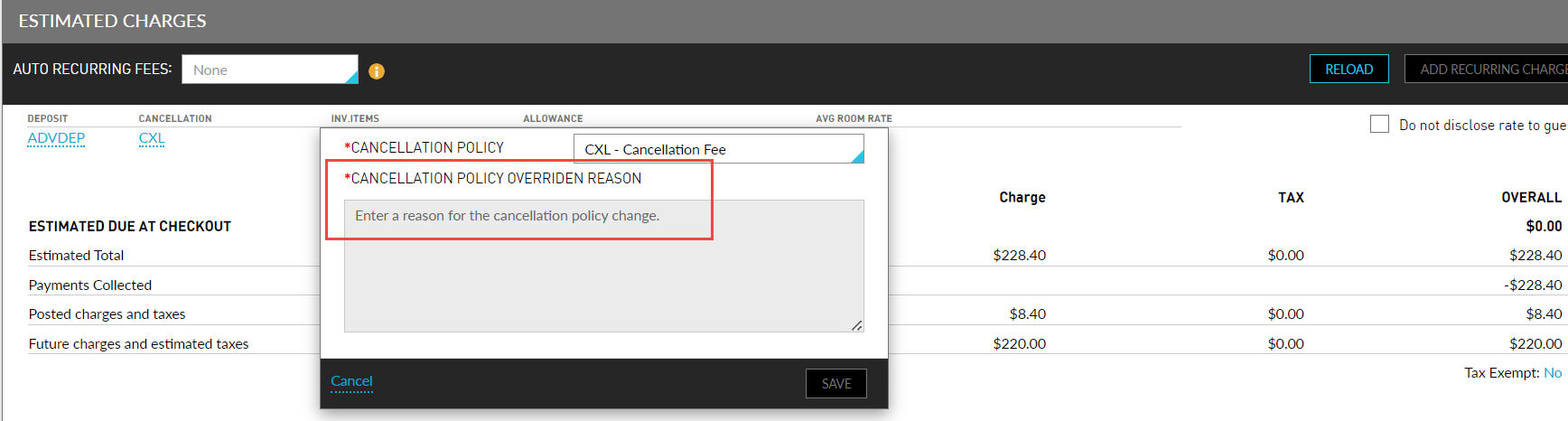
Users can change the cancellation policy associated with the reservation from the Estimated Charges section on the Reservation screen. When the user changes the cancellation policy, the Cancellation Policy Override Reason field gets enabled. This is a mandatory field that allows users to enter the reason for the change in policy. This field is displayed as a mandatory field even when the Require Reason for Override checkbox is not enabled at the property.
Reservation History Logs
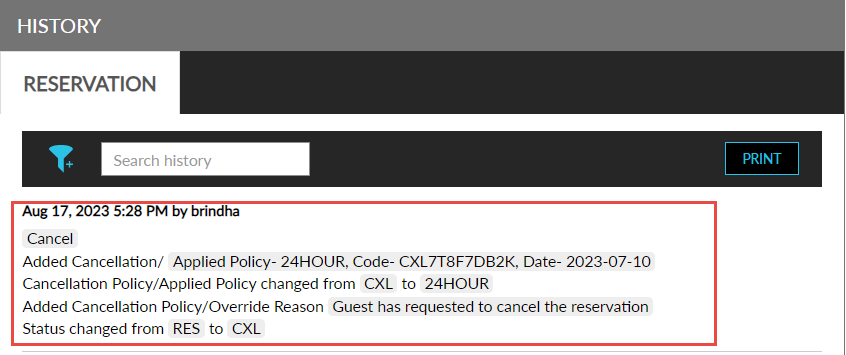
When the cancellation policy or the cancellation fee is changed, a record is created in the Reservation History section to track the reason entered. When the cancellation fee is changed in the Cancel Reservation screen, the record is created in the following format: Cancellation fee changed from <original amount> to <new amount>. When the cancellation policy is changed in the Cancel Reservation screen, the record is created in the following format: Added Cancellation Policy Override Reason/ Reason entered by the user.
When the cancellation policy is changed in the Reservation screen, the record is created in the following format:
Cancellation Policy changed from <Original Policy> to <New Policy>
Added Cancellation Policy Override Reason/ Reason entered by the user